Voxel Block Builder Guides & Walkthroughs
From first block to Verity Pets, Personal Worlds, and smart Game Pass picks.
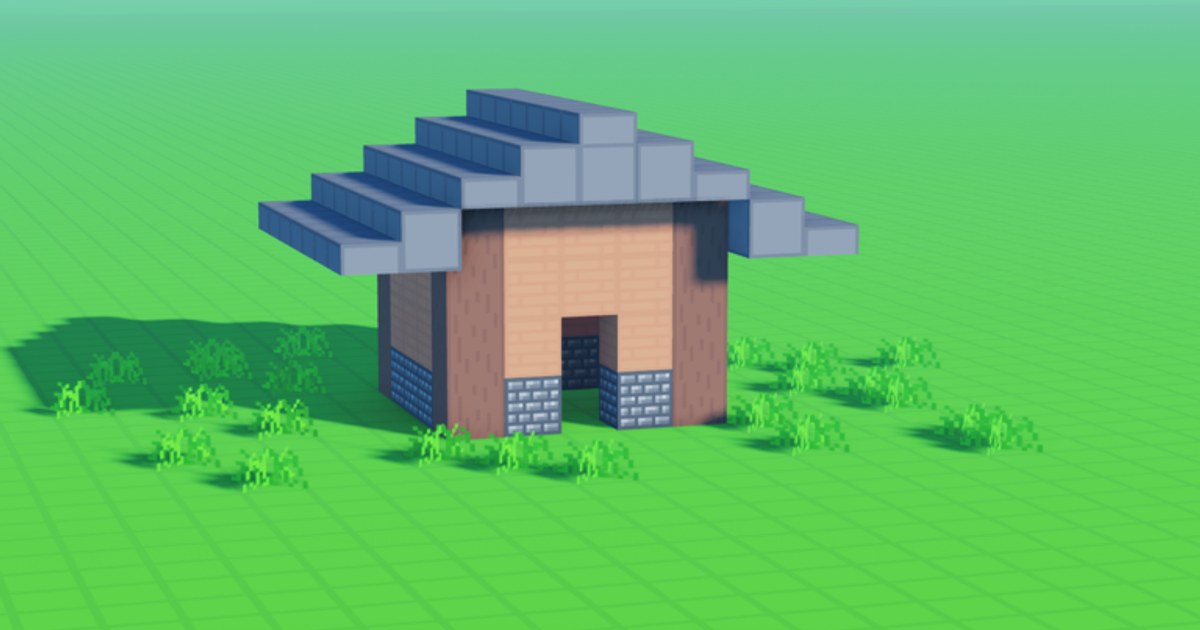
Welcome to the Guides Hub for Voxel Block Builder, the Roblox sandbox from Goober Labs (Place 113457460682474, universe 8006379851). Whether you just joined a public server or you are polishing a skyline in a Personal World, these tutorials explain the systems players actually search for: placement, mining, saves, pets, controls, and Robux passes. The experience is fully released—roughly 108M visits, typical 2–4K concurrent players, peaks near 8.6K, about 70% rating, and around 6M favorites—so the advice here assumes you can jump in today.
Start with Getting Started if this is your first session. Come back to this hub whenever you need a map of every how-to on the wiki.
Core loop in one sentence
Open Inventory, select a block, click or tap to place, then use the pickaxe to mine and revise. Everything else—weekly blocks, pets, passes, codes—layers on top of that loop. Deepen it with how to build and keep muscle memory sharp via controls.
Guide index
| Guide | Best when you… |
|---|---|
| Getting Started | Need a first-hour path on public servers or Personal Worlds |
| How to Build | Want cleaner layouts, faster iteration, smarter mining cleanup |
| Personal Worlds | Care about saving builds between sessions |
| Verity Pets | Unlocked Verity and want equip / follow behavior explained |
| Controls | Switching between PC and mobile or learning fly inputs |
| Game Passes | Comparing Fly, packs, sprint, Bombastic Pickaxe, Blue Dimension |
| Building Ideas | Need house/landmark footprints and palette recipes |
| Multiplayer & Roleplay | Playing with friends on 18-player public servers |
| Tips & Tricks | Want weekly, save, and Robux habits that compound |
Recommended learning path
- Onboard — Getting Started + controls.
- Create — how to build with the build checklist and building ideas.
- Save — Personal Worlds + world save checklist.
- Social — multiplayer roleplay when friends join.
- Expand palette — blocks, block packs, weekly blocks.
- Pets & patches — Verity Pets, pets overview, Verity update, patch notes.
- Spend wisely — Game Passes, Game Pass tier list, Blue Dimension.
- Habits — tips and tricks; optional Codes Hub (no reliable active codes as of August 2026).
Co-op and social play
Voxel Block Builder supports online public servers (max 18 players) plus Personal Worlds for persistent builds. Public sessions are perfect for shared megaprojects; Personal Worlds are your gallery and archive. Neither mode is “offline single-player only”—you are always in the Roblox online stack—but Personal Worlds give you the save behavior builders need.
Adjacent hubs worth bookmarking
- Player systems: blocks, pets, Blue Dimension.
- Updates: Verity update, weekly blocks.
- Tools: build checklist, world save checklist.
- Meta: scripts, official links.
How we keep guides useful
Each child page targets a real search intent (how to build, how Personal Worlds work, what Verity does, which pass is worth Robux). We avoid filler, keep internal links with trailing slashes, and refuse invented YouTube IDs. When Goober Labs ships QoL or new blocks, update notes land under Updates, then these guides absorb the practical “what you should do differently” layer.
Pick one guide, finish one small structure, and save it. Momentum beats tab hoarding—and this hub will still be here when you are ready for the next system.
Frequently Asked Questions
Quick answers about Voxel Block Builder on Roblox.
Which guide should a brand-new player open first?
Start with Getting Started, then Controls. Add How to Build once you can place and mine comfortably.
Do these guides assume Game Passes?
No. Core tutorials work without passes. Game Passes has prices and value notes if you decide to spend Robux.
Where do I learn about Verity?
Read the Verity Pets guide plus the Verity update and pets pages for unlock, equip, and follow behavior.
Are codes required to progress?
No. The Codes Hub currently lists no reliable active codes. Building and Personal Worlds matter far more.
Is Voxel Block Builder only on Roblox?
Yes. It is a Roblox experience by Goober Labs—there is no separate non-Roblox client covered here.