Voxel Block Builder Tools Hub for Builders
Checklists and planning aids for Personal Worlds, Passes, Verity Pets, and weekly block sessions.
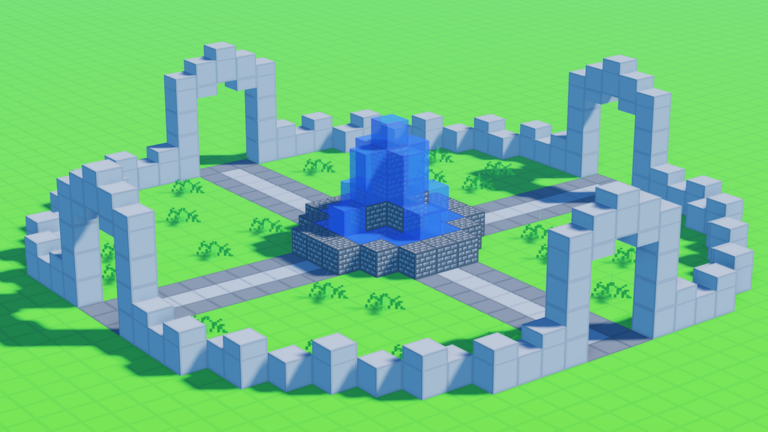
The Tools Hub collects practical planning pages for Voxel Block Builder by Goober Labs—lightweight checklists you can run before, during, and after a build session. Nothing here is an external executable. These tools are wiki workflows that keep Personal Worlds tidy, Pass purchases intentional, and weekly block hunts organized.
Voxel Block Builder rewards players who treat each visit like a short studio session: gather blocks, place with intent, mine cleanly, save, and leave a note for next time. When visits climb into the tens of millions and servers stay busy, a checklist beats memory—and it beats risky automation claims discussed on the Scripts Hub.
Tool pages in this hub
- Build Checklist — inventory prep, Pass choices, Verity Pets notes, and a mid-session loop for cleaner voxel work.
- World Save Checklist — Personal Worlds habits so large projects survive disconnects, updates, and ambitious terraforming.
Combine these with Guides, Items, Codes, Tier List, Updates, and Links for a full loop from join → build → save → track changes.
Why checklists beat “helper tools”
Community chatter often frames injectors as productivity tools. In a builder, the real productivity gains come from:
- Knowing which Pass you need before you spend Robux (Fly, 2x Sprint, Bombastic Pickaxe, color packs, Blue Dimension).
- Staging materials before you climb a tower.
- Saving Personal Worlds after each major wing.
- Tracking weekly blocks so you do not rebuild façades twice.
- Keeping Verity Pets equipped only when you want the companion flair—not as a distraction mid-precision place.
Those habits cost zero ban risk. See Script Safety if someone tries to sell you a shortcut.
Session archetypes
Quick public-server visit
Goal: experiment with this week’s blocks, show friends a gadget, or test a palette. Use a shortened build checklist, avoid mega terraforming you cannot save, and screenshot references if the server resets vibes often.
Personal World deep work
Goal: city block, castle wing, redstone-free sculpture garden, or roleplay set. Run the full Build Checklist, enable the Passes you own, and close with the World Save Checklist.
Update day
Goal: inspect new weekly blocks, Verity-related cosmetics, or QoL tweaks. Skim Updates first, then open a disposable test plot before touching your main world.
Pass planner (lightweight)
Ask four questions before buying:
- Do I build vertically enough to need Fly?
- Do I traverse large worlds enough for 2x Sprint?
- Do I terraform more than I decorate? → Bombastic Pickaxe
- Do I care about palette and mood? → Rainbow Block Pack, Colored Glass, Blue Dimension
Rank answers on the Tier List, then purchase only what matches this month’s projects.
How to use this hub weekly
- Read Updates for new blocks or pet notes.
- Check Codes if a promotion is live (many weeks may show zero active codes).
- Open Build Checklist and set a single session goal.
- Build in Personal Worlds when the project must persist.
- Finish with World Save Checklist.
- Log palette ideas under Items mentally—or screenshot inventories.
- Ignore unauthorized script pitches; prefer Passes.
Related reading
New players should start with Getting Started. Anyone tempted by auto-place or fly helpers should read Working Scripts overview only as a claims glossary, then return here. Official destinations live on Official Links.
This Tools Hub stays deliberately boring: paper-style checklists for a voxel game that already gives you creative power. Boring workflows protect spectacular builds. Run the child pages every ambitious session, and let weekly blocks stack into something you can still open next month.
Frequently Asked Questions
Quick answers about Voxel Block Builder on Roblox.
Are these downloadable tools or executables?
No. Wiki Tools pages are checklists and planners you follow in-game. They are not scripts, injectors, or external apps.
Which checklist should I use first?
Start with the Build Checklist for session prep, then use the World Save Checklist whenever you work in Personal Worlds.
Do tools replace Game Passes?
No. Checklists help you decide when Fly, 2x Sprint, Bombastic Pickaxe, or color Passes are worth buying—and how to use them efficiently.
How do Tools relate to Scripts pages?
Tools are the safe productivity path. Scripts pages explain risky feature claims and push you back toward Passes and these checklists.