Getting Started in Voxel Block Builder
Your first hour on Roblox with Goober Labs’ voxel sandbox.
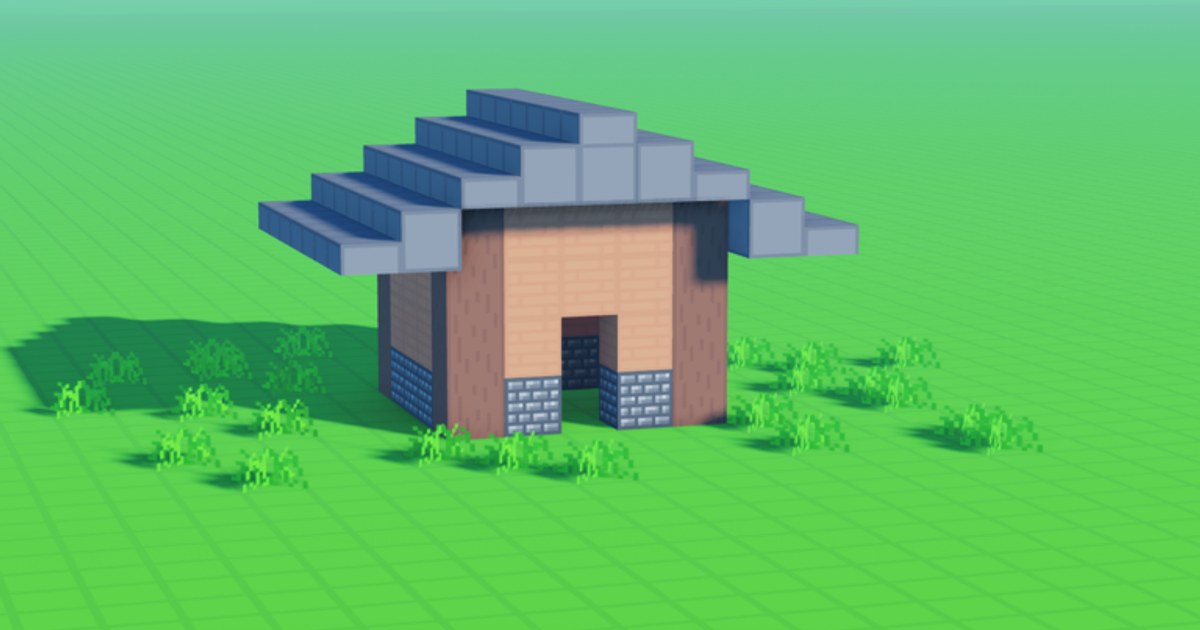
Voxel Block Builder is a Roblox building sandbox from Goober Labs where the fun is immediate: grab a block, place it, mine mistakes, and grow a world you can revisit. This getting-started guide assumes the game is live (released around 2025-06-26 on Roblox only) and focuses on actions that matter in session one. For the full catalog of tutorials, return to the Guides Hub.
What you will learn in the first hour
- How the Inventory → select → place → pickaxe loop works
- When to use a public server (max 18) versus a Personal World
- Where controls differ on PC and mobile (controls)
- How weekly blocks, pets, passes, and codes fit later—not as day-one blockers
Step 1: Launch on the right experience
Open the official Voxel Block Builder place (113457460682474, universe 8006379851) from Roblox. Avoid third-party “private server key” scams. Official social destinations are listed under official links.
Join a public server if you want energy and shared builds, or enter a Personal World if you already know you want saves. New players often spend twenty minutes in public learning placement, then move to a Personal World for a keeper project—see Personal Worlds.
Step 2: Learn the core loop cold
- Open Inventory.
- Select a block type.
- Click or tap in the world to place.
- Equip the pickaxe and mine blocks you want to remove or harvest for restyling.
That loop is the whole game’s heartbeat. Fancy packs and pets are optional seasoning. Practice a 5×5 platform, then a simple wall, then a doorway. If placement feels awkward, skim how to build for stance, layering, and cleanup habits.
Step 3: Read the HUD before you buy anything
Your first session should not open with a Robux shopping spree. Note which buttons open inventory, tools, and settings. If you later buy Fly Ability [OP] (299 Robux), remember F on PC or the mobile fly button—details in controls and value notes in Game Passes. Compare spend ideas with the Game Pass tier list only after you know you enjoy the loop.
Other passes you will see in the shop later: Rainbow Block Pack (199), Colored Glass Pack (89), 2x Sprint Speed (49), Bombastic Pickaxe (99, 2× mining distance + effects), The Blue Dimension (29). None are required to finish a satisfying first build.
Step 4: Save something on purpose
If you built anything you like, make sure it lives in a Personal World and follow the world save checklist. Public servers are great for co-op nights with up to eighteen players, but they are not your museum. Treat Personal Worlds as the gallery shelf; treat public servers as the studio party.
Step 5: Expand the palette the honest way
Like and favorite the experience if you want to stay eligible for weekly new blocks—explained on weekly blocks and catalogued in blocks. That cadence beats waiting on promo codes. Speaking of codes: the Codes Hub currently reports no reliable active codes. Learn the redeem UI anyway via how to redeem and keep a light watch with finding new codes.
Step 6: Meet Verity when you are ready
The Verity Pets update adds pet Verity, who rolls and follows when equipped, plus new blocks and QoL. You do not need Verity on minute one, but when you unlock the pet, read Verity Pets, the pets overview, and Verity update so equip behavior is not confusing mid-build.
First-hour checklist
Use this as a run-of-show (also mirror tasks on the build checklist):
- Place at least fifty blocks without rage-quitting a misclick
- Mine a deliberate revision (fix a wall seam)
- Build a tiny shelter or logo base you would show a friend
- Decide public vs Personal World for your “keeper” save
- Bookmark Guides, Codes, and Official Links in your browser
- Ignore script executors promising free passes (scripts safety)
Common beginner mistakes
- Buying Fly before learning placement — flight is fun, but ground skills transfer everywhere.
- Building only on public servers — then wondering where the creation went next day.
- Chasing fake codes — empty tables are honest; fake lists are not.
- Ignoring mining — the pickaxe is your undo button and your restyle tool.
- Skipping favorites/likes — you may miss weekly block incentives you care about.
Where to go next
After the first hour, deepen craft with how to build, lock saves via Personal Worlds, and peek at Blue Dimension only if you are considering that pass. Keep this page as your reset ritual whenever you return after a break—rehearse the loop, place a warm-up platform, then pursue a real project.
Finish session one with a saved silhouette on the horizon. That single screenshot moment converts “I tried Voxel Block Builder” into “I am a builder here.”
Frequently Asked Questions
Quick answers about Voxel Block Builder on Roblox.
Is Voxel Block Builder free to play on Roblox?
Yes. You can place, mine, and use Personal Worlds without buying Game Passes. Passes are optional upgrades.
Should I start in a public server or a Personal World?
Either works. Public servers (max 18) are social; Personal Worlds are best when you want a build to persist.
What is the most important beginner skill?
Fluid Inventory selection, accurate placement, and confident pickaxe revisions. Everything else builds on that loop.
Do I need codes to enjoy the game?
No. There are currently no reliable active codes. Focus on building and weekly blocks instead.
When should I unlock or equip Verity?
After you are comfortable placing blocks. Then read the Verity Pets guide so you equip the pet and see it roll/follow correctly.